Go Gold 20261.0.5
Publisher Description

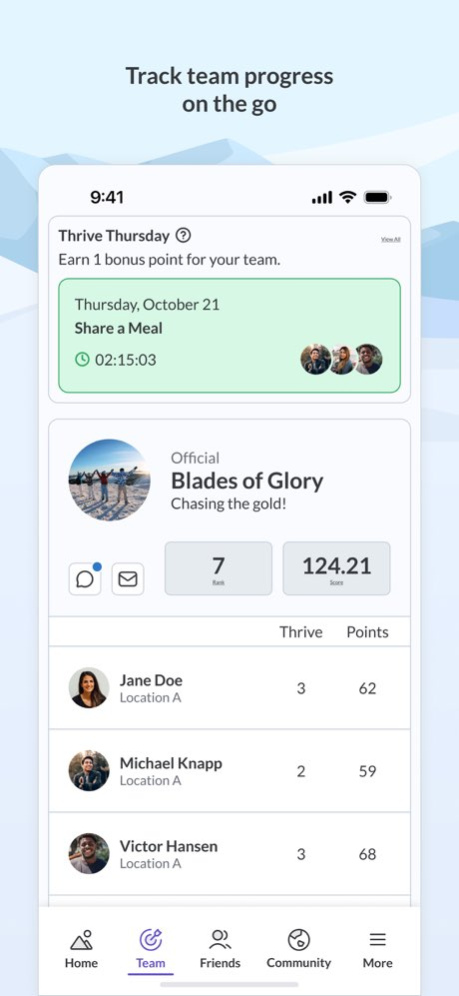


Go Gold 2026 brings the thrill of the Winter Games to your workplace, inspiring everyone to push for their personal best. Lace up, step out, and compete for daily medals as you move toward better health.
Features include:
. Animated progress mountain that fills with medals daily when you log at least 6000 steps
. Striking full-screen winter sports and Olympic-inspired images
. Option to sync step data with Apple Health
. Individual and team participation
. Daily practical well-being tips
. Wall and Friends component for encouragement and camaraderie
Note: Go Gold 2026 syncs with the web version through your organization’s wellness program; you must create your account on the web version before you can use the mobile app.
Version History Minor bug fixes 1.0.5 Feb 24 Minor bug fixes and improvements 1.0.4 Feb 14 Fixes and improvements. 1.0.3 Jan 8 Fixes and improvements. 1.0.2 Jan 5 1.0 12/22/2025
About Go Gold 2026
The company that develops Go Gold 2026 is Health Enhancement Systems. The latest version released by its developer is 1.0.5.
To install Go Gold 2026 on your iOS device, just click the green Continue To App button above to start the installation process. The app is listed on our website since 2026-10-14 and was downloaded 0 times. We have already checked if the download link is safe, however for your own protection we recommend that you scan the downloaded app with your antivirus. Your antivirus may detect the Go Gold 2026 as malware if the download link is broken.
How to install Go Gold 2026 on your iOS device:
- Click on the Continue To App button on our website. This will redirect you to the App Store.
- Once the Go Gold 2026 is shown in the iTunes listing of your iOS device, you can start its download and installation. Tap on the GET button to the right of the app to start downloading it.
- If you are not logged-in the iOS appstore app, you'll be prompted for your your Apple ID and/or password.
- After Go Gold 2026 is downloaded, you'll see an INSTALL button to the right. Tap on it to start the actual installation of the iOS app.
- Once installation is finished you can tap on the OPEN button to start it. Its icon will also be added to your device home screen.
Program Details
System requirements
Download information
Pricing
Version History
version 1.0.5
posted on 2026-10-14
Version History Minor bug fixes 1.0.5 Feb 24 Minor bug fixes and improvements 1.0.4 Feb 14 Fixes and improvements. 1.0.3 Jan 8 Fixes and improvements. 1.0.2 Jan 5 1.0 12/22/2025
version 1.0.5
posted on 2026-02-24
Minor bug fixes
